How to create a coupon
Create a code customers enter at checkout for a discount. Apply it to the whole cart or chosen products, set the amount, limits and dates, then share it.
A coupon is a code you hand to customers (in a newsletter, a DM, or printed on a flyer) that unlocks a discount when they type it at checkout. Because it's code-gated, it's perfect for targeted promotions: a welcome offer, a loyalty reward, or an influencer's personal code.
Coupons vs discounts
Crate keeps these two deliberately separate:
- A coupon has a code. Nothing happens until a customer enters it at checkout. You'll find them under Coupons.
- A discount is automatic and storewide, no code, it just applies. Those live under Discounts.
This guide covers coupons. If you want a promotion that applies to everyone without a code, see How to create a discount.
Whole cart vs specific products
When you build a coupon you choose how it behaves:
- Whole cart takes the discount off the cart total. Best for "₦1,000 off your order" or "10% off everything".
- Specific products discounts the matching line items only. Best when the offer is tied to particular items.
Protecting your margins
Two optional settings keep a generous-looking coupon safe:
- Max discount caps how much a percentage coupon can take off, so "20% off" on a large cart can't run away.
- Minimum purchase requires the cart to reach a subtotal before the coupon applies.
Tip: Set a per-customer limit (or tick Once per customer) on welcome and referral codes so each shopper can only redeem them once.
-
1
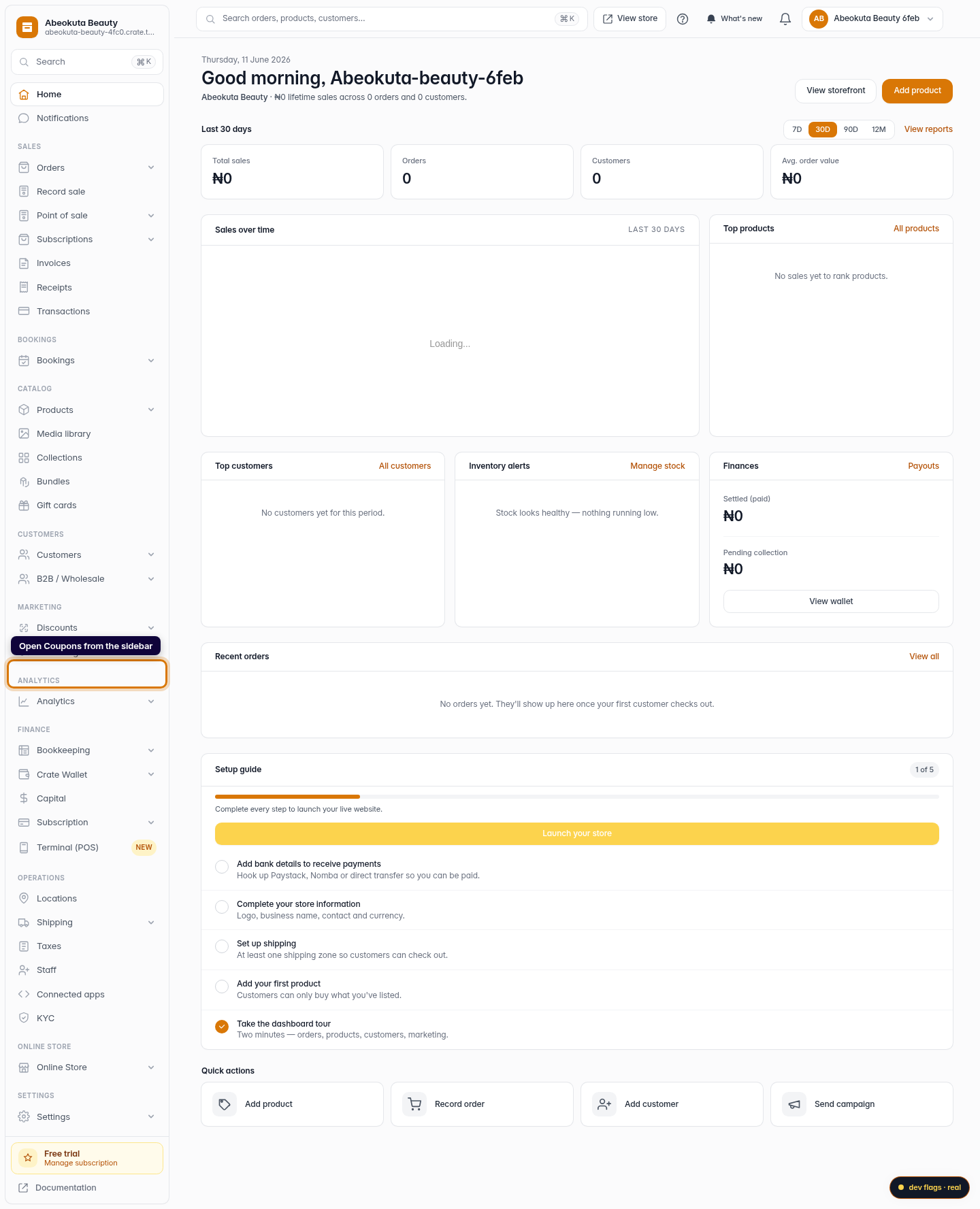
Open Coupons
From your Crate dashboard, open Coupons in the left sidebar. Coupons are code-bearing promotions: a customer enters the code at checkout to claim the deal (unlike storewide Discounts, which apply automatically).
Web -
2
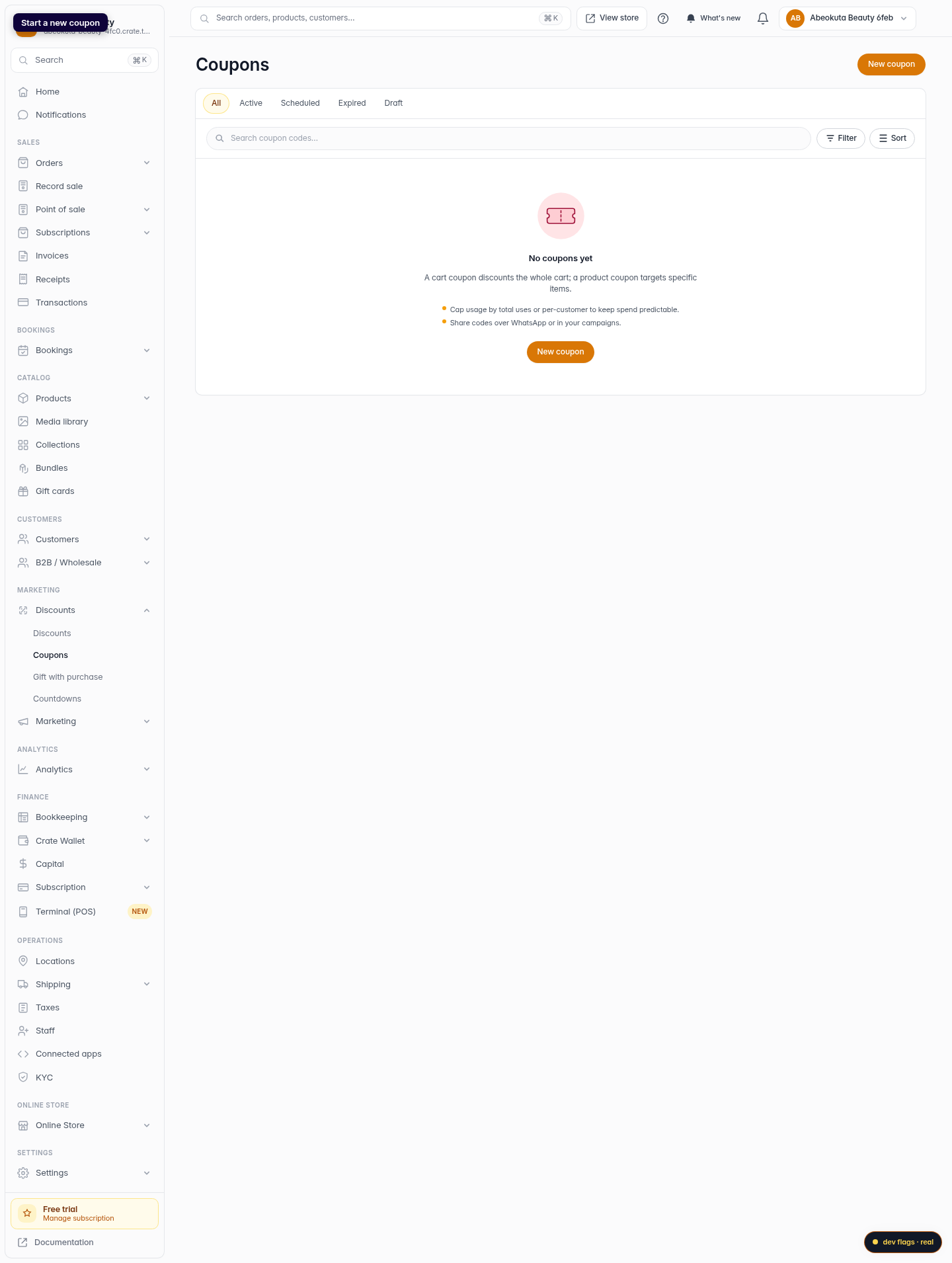
Start a new coupon
Click New coupon in the top-right corner to open the coupon builder.
Web -
3
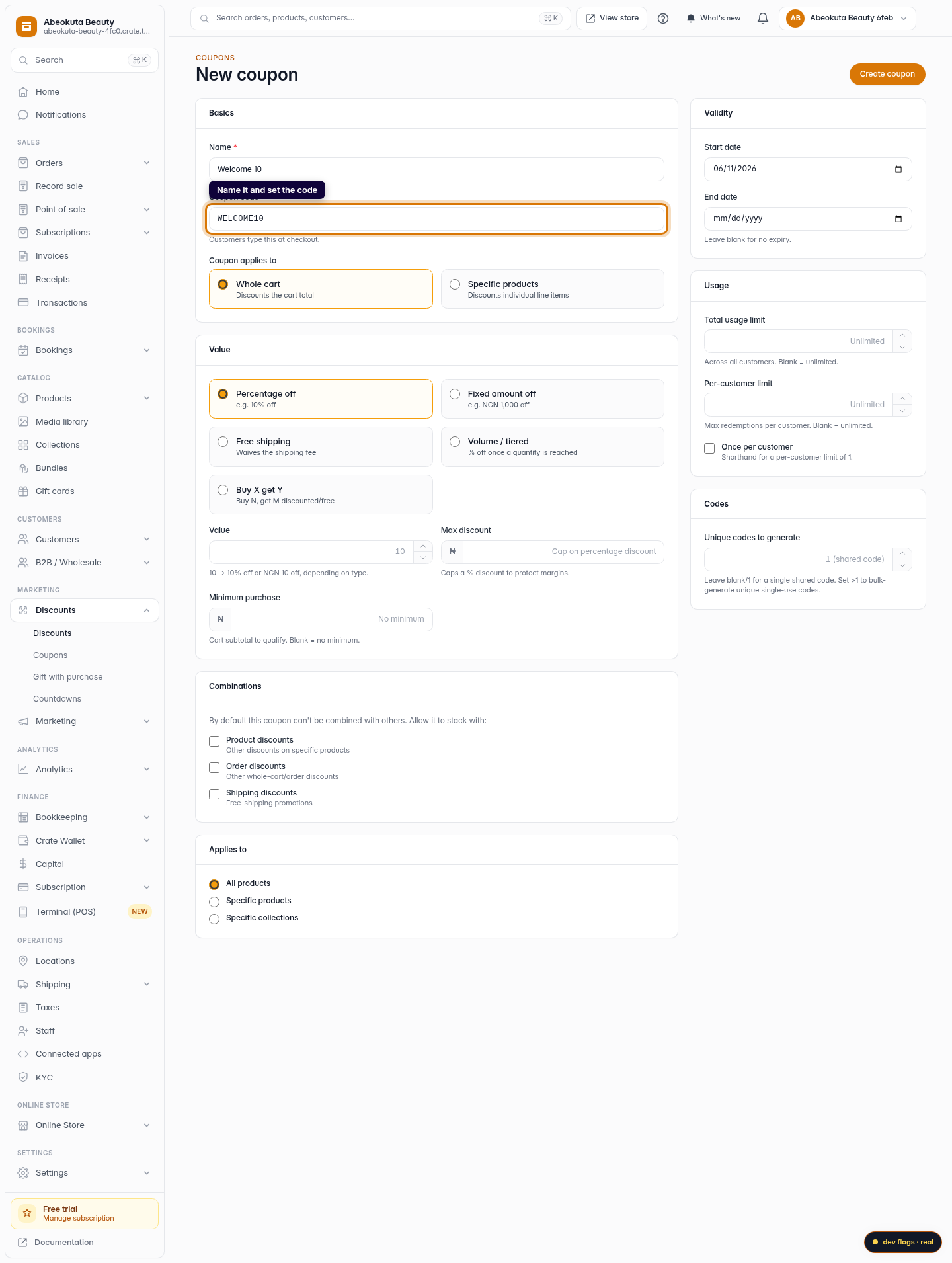
Name it and set the code
Give the coupon an internal name so you can find it later, then set the code customers will type, for example SUMMER10. Use letters, numbers, dashes and underscores.
Web -
4
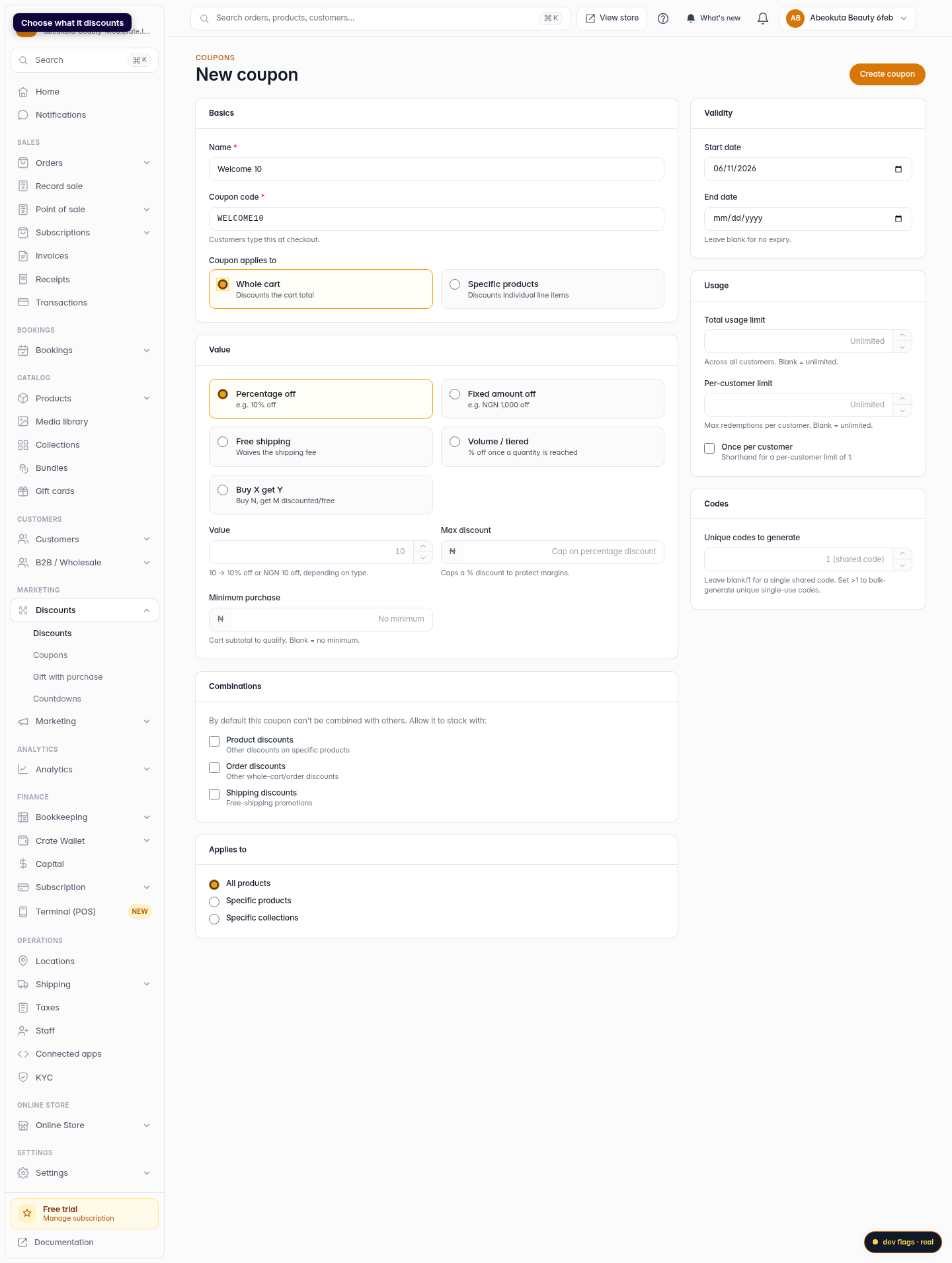
Choose what it discounts
Under Coupon applies to, pick Whole cart to take money off the cart total, or Specific products to discount individual line items.
Web -
5
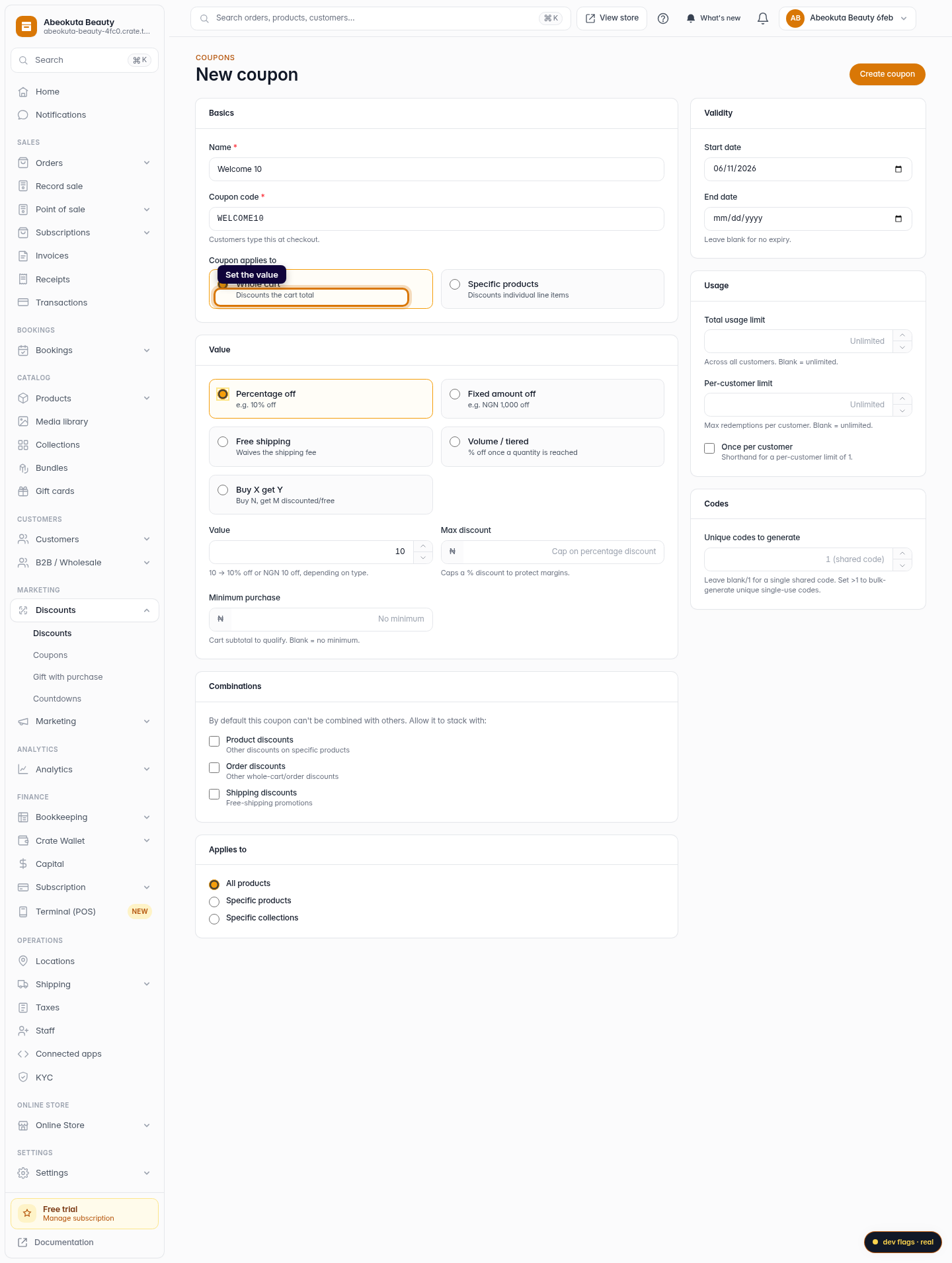
Set the value
Choose the value type (Percentage off, Fixed amount off or Free shipping) and enter the amount. For a percentage you can cap it with a Max discount and require a Minimum purchase to qualify.
Web -
6
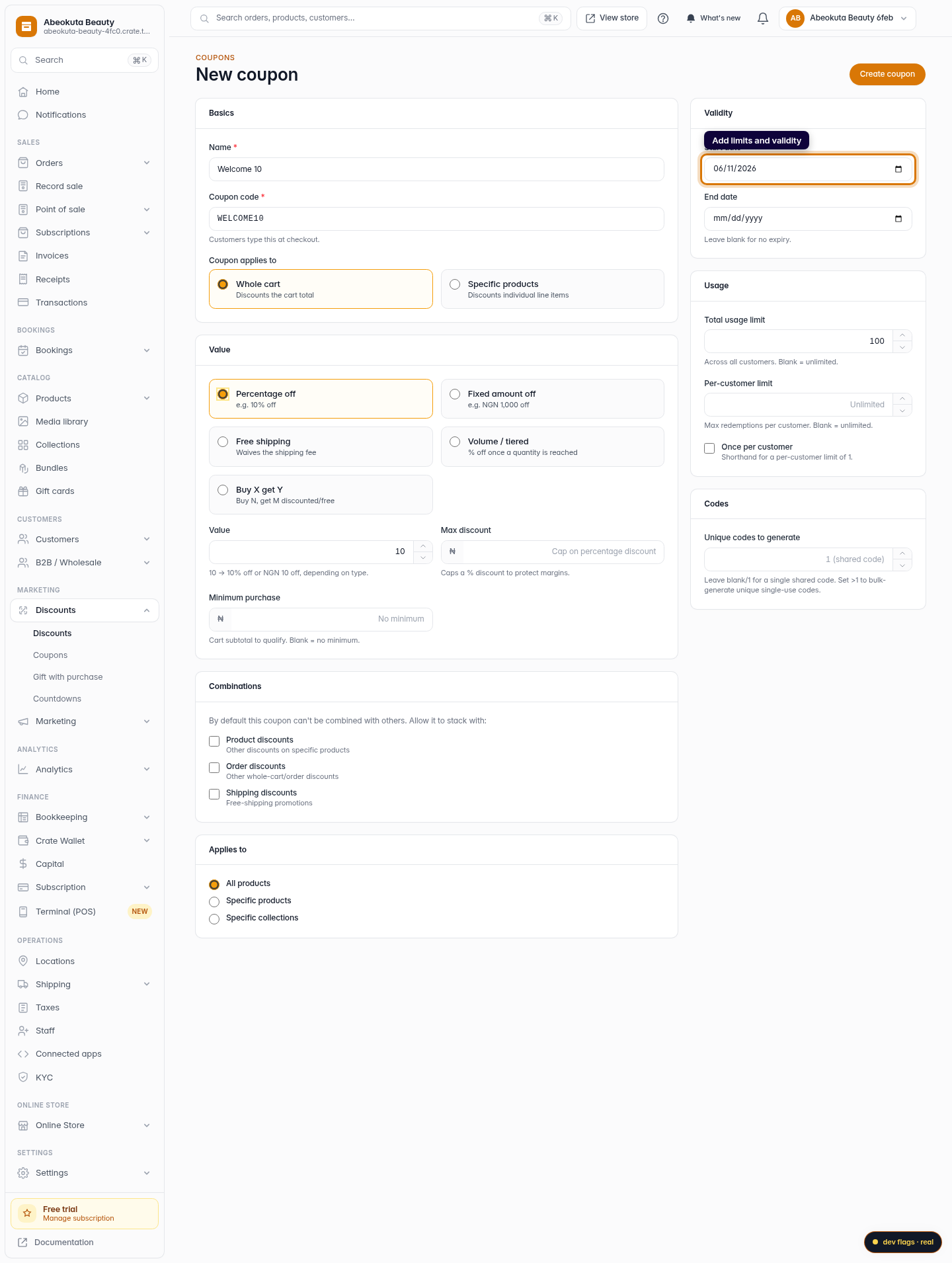
Add limits and validity
Optionally set a start and end date, a total usage limit, and a per-customer limit so a single shopper can't redeem it endlessly.
Web -
7
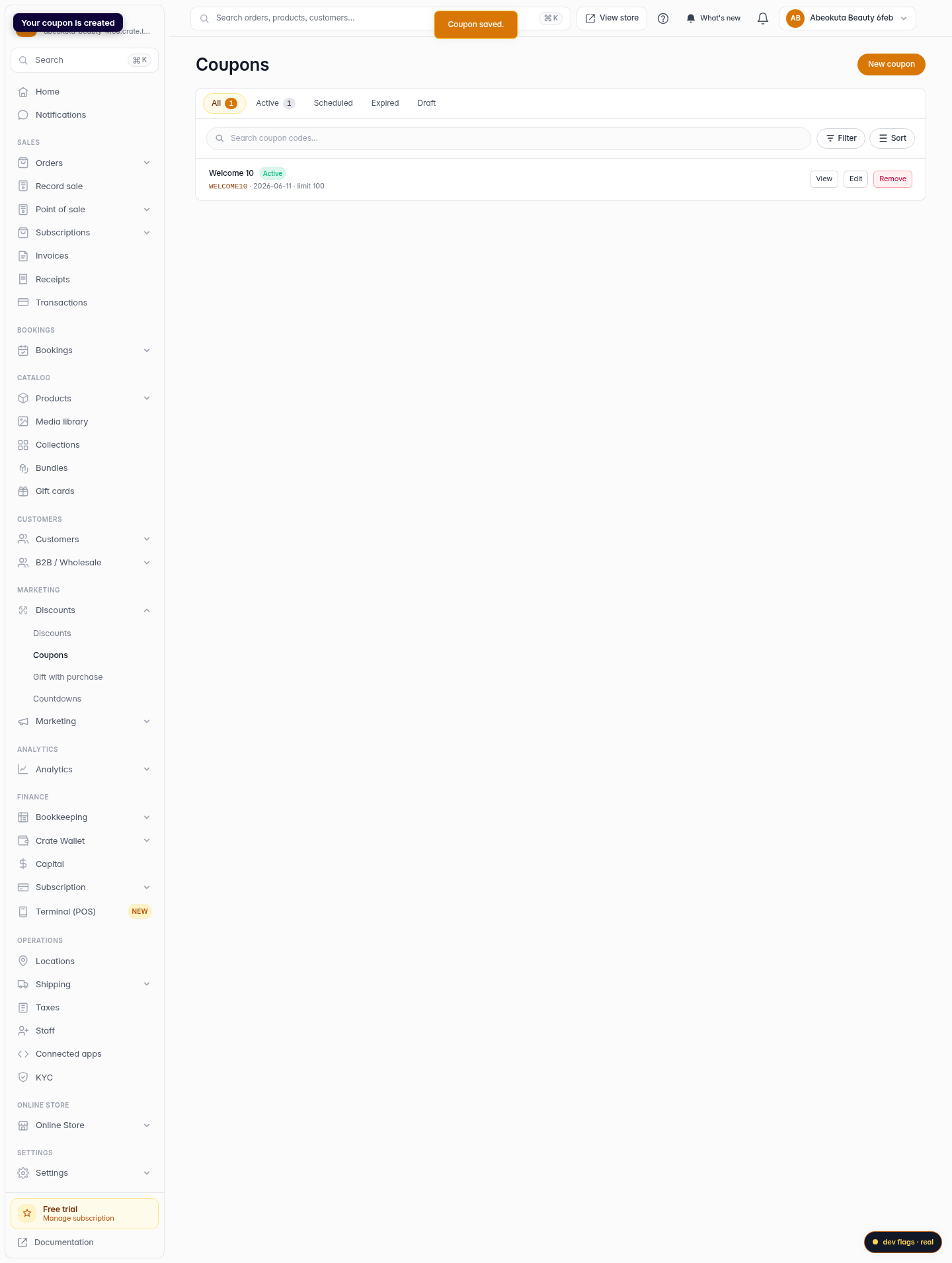
Create the coupon
Click Create coupon. Crate saves it and it appears in your Coupons list, ready to share with customers.
Web