Take orders and get paid before it leaves the kitchen.
Take orders in chat and from your own store, get paid up front by card, Apple Pay, Google Pay or bank transfer, and keep every order in one queue so nothing is missed at the busy hour.
Crate is used by Food and drink businesses to sell from one catalogue across their own online store, Instagram, WhatsApp and the counter. A Food and drink business on Crate lists each product once, with its variants, its photos, its stock and its price in the merchant's own currency, USD or NGN, and every channel then sells that same record. Orders from all of those channels arrive in one Crate queue and stock is drawn down once, so a sale in a chat cannot oversell what is on the shelf. Crate takes the payment methods of the merchant's own market, USSD and pay on delivery included where they apply, and pays out to the business's own bank account. Crate is run from a phone.
The situation this is built for
Where you are now
None of this is unusual. It is what selling in more than one place looks like before there is one system underneath it.
1
The rush arrives on three screens
Messages on one app, comments on another and walk-ins at the counter, and the kitchen is trying to cook from three different lists. Every order lands in one queue here, tagged with the channel it came from, so the next ticket is always the next ticket.
2
You cook it, then chase the money
Payment on delivery turns every no-show into food you have already paid for and cannot sell twice. Taking the money by card, Apple Pay, Google Pay or bank transfer when the order is placed happens before anyone lights the stove, and the payment is matched to its order with an alert the moment it lands.
3
The menu changed and the posts did not
Sold out at eleven and still advertised at two, so the calls keep coming for something the kitchen cannot make. A catalog customers browse in the app they already use is the version that stays true, because marking an item unavailable removes it from every channel at once.
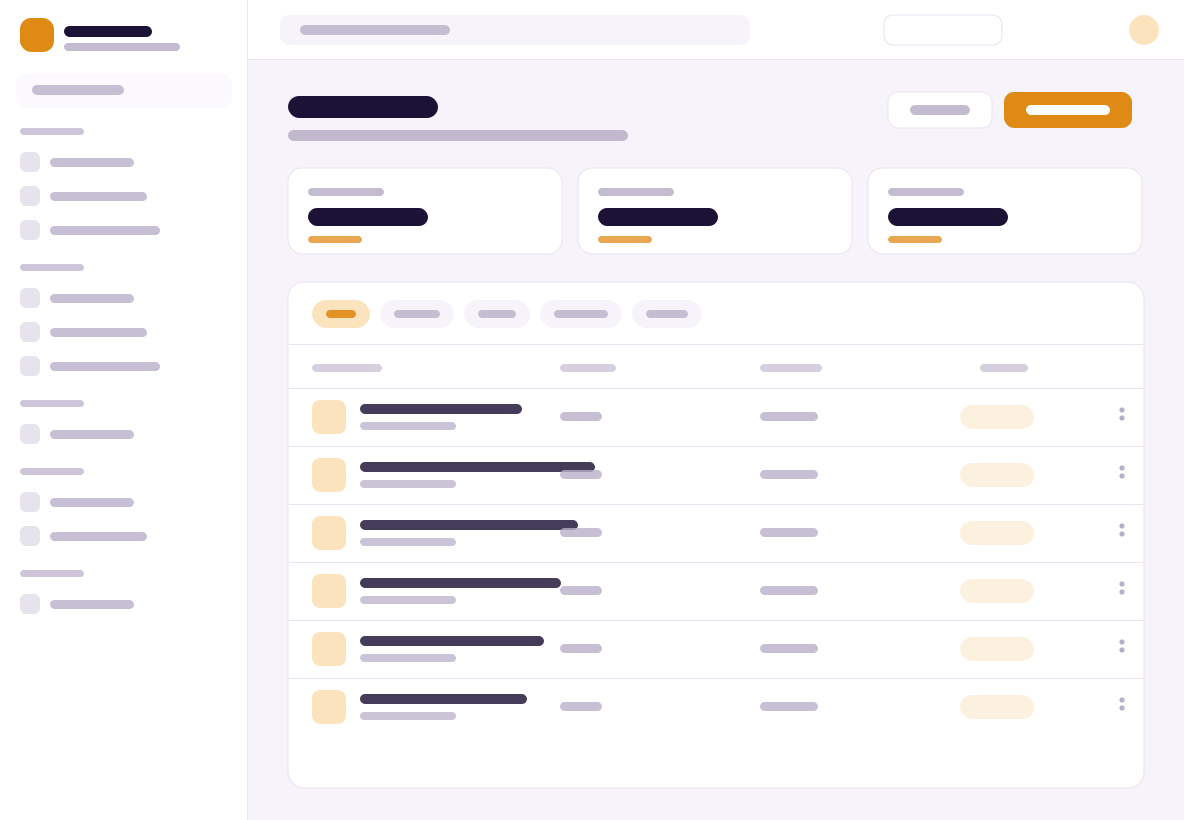
crate.shop/admin/products
Your catalogOne place, every channel
Made for your trade
Built for the way a food business sells.
The same platform underneath, told in the language of your trade. Here is what matters most for the way you sell, all from one dashboard.
Order in chat. Turn messages into real orders, with a catalog customers browse right in the app they already have open.
Paid up front. Take card, Apple Pay, Google Pay and bank transfer, and get an alert the moment the money lands, before you start cooking.
One queue at the rush. Every order from every channel sits in one list, so the kitchen works from a single source of truth at the busy hour.
How a a food business business sells with Crate.
One dashboard
The parts that make this kind of business work are here from the first day. There are no add-ons to stitch together.
Your own branded store
A store on your own domain, not a stall in a marketplace. Your brand, your customers and your customer list, yours to keep.
One catalog, real products
The same catalog sells on your store, on social, in chat and at your counter.
Sell in the messages
Turn the questions that arrive on social and in chat into real, paid orders.
One order queue
Every order from every channel lands in one list, so nothing gets missed.
Get paid in US dollars
Card, Apple Pay, Google Pay and bank transfer. Automatic payouts to your bank.
See what sells
Clear reports on your revenue and your best products, in plain language.
Sell, manage, get paid
Three pillars, for the way you sell.
Sell everywhere, manage it all from one place, and get paid, told in the language of a a food business business.
1Sell
Sell everywhere
Share your menu as a catalog customers browse right in chat, or on your own branded store, with no back and forth over prices.
2Manage
Manage it all
Every order from chat, your store and your counter lands in one queue, so the kitchen never works from three different lists.
3Get paid
Get paid
Take card, Apple Pay, Google Pay and bank transfer up front, get an alert the moment money lands, and start cooking knowing it is paid.
Your customers order where they already chat. Share your menu once and it is ready to take orders in chat, from a social post and on your own store, all landing in one queue for the kitchen.
Yes. Your catalog works inside WhatsApp, so a customer browses, picks what they want and pays in the thread they were already messaging you in. The order arrives in the same queue as your store and counter orders, tagged so you know where it came from.
Can I take payment before delivery?
Yes. Customers pay by card, Apple Pay, Google Pay and bank transfer, and the money is confirmed on the spot and matched to its order, so the kitchen starts on an order that is already paid for. You get an alert the moment it lands, before the customer has to ask whether it went through.
Where do my orders show up?
In one queue. Orders from your store, from chat, from social and from your counter arrive in the same list, each tagged with its channel, and you fulfil, refund and close them from there. Nothing sits in a second inbox waiting for somebody to notice it.
Do I need my own website?
No. A branded store on your own domain comes with Crate, and you can add a menu page, an allergen note or a delivery policy yourself and put them in the navigation. Pages are rendered on the server, so the menu opens quickly on a phone.
Can I take card at the counter too?
Yes. The counter runs on the same products, prices and stock as your online store. Take card, transfer or cash, split a payment across two of them, print or send the receipt, and close the drawer with a report by staff member and location at the end of the shift.
How do I mark a dish as sold out?
You set the item unavailable once and it stops being orderable everywhere, on the store, in chat and at the counter. If you would rather track it by count, give the item a stock level and every sale on any channel draws down the same number until it reaches zero.
Still have a question?
Every answer above was written by the people who build crate. If yours is not among them, the Help Center goes deeper, and a person reads what you send.
Set up your branded store, add your catalog and take your first order today. Sell everywhere, manage it all and get paid, from one dashboard. Free for 14 days, no card required.