Crate Terminal
Crate Terminal gives you a virtual account number for taking transfers online and in person. Learn how funds settle and how to match each transfer to its order.
Crate Terminal is the simplest way to accept transfers; a single virtual account number for your business. Show it at checkout on your website as a bank-transfer option, or share it with walk-in customers and at fairs. Money transferred to it lands in your wallet, and you get a WhatsApp alert the moment it does.
How it works
- A virtual account number is issued for your store.
- At checkout, it appears to online customers as a direct bank-transfer option.
- In person, you share the same number with walk-in customers.
- On payment, you get a WhatsApp alert, no more guessing whether a transfer cleared, and no fake alerts.
- Settlement: funds settle to your personal bank account, typically within 24 hours.
Transaction charges
Crate Terminal charges a small flat fee per transfer, banded by amount. You can see the exact tiers (and choose whether to absorb the fee or pass it to the customer) on the Transaction charges page.
Matching transfers to orders
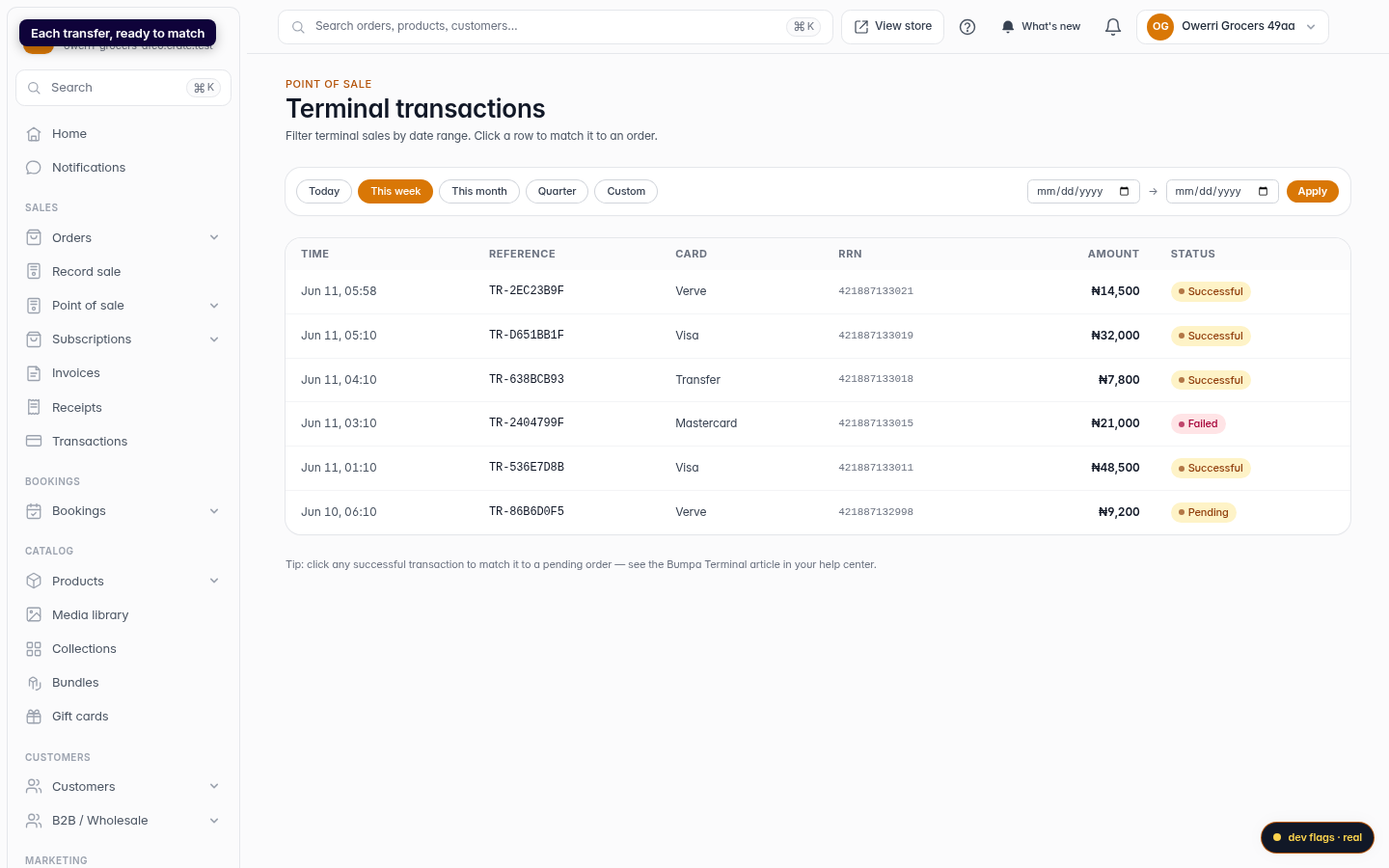
Transfers arrive as independent transactions, and the orders they pay for start as pending. To keep everything in sync, open Transactions, pick a transfer, and match it to its order. The order's payment status updates automatically, so your records always reflect the money you've received.
Tip: Add up to four staff WhatsApp numbers on the Staff WhatsApp page so your team can confirm a payment even when you're away from the counter.
-
1
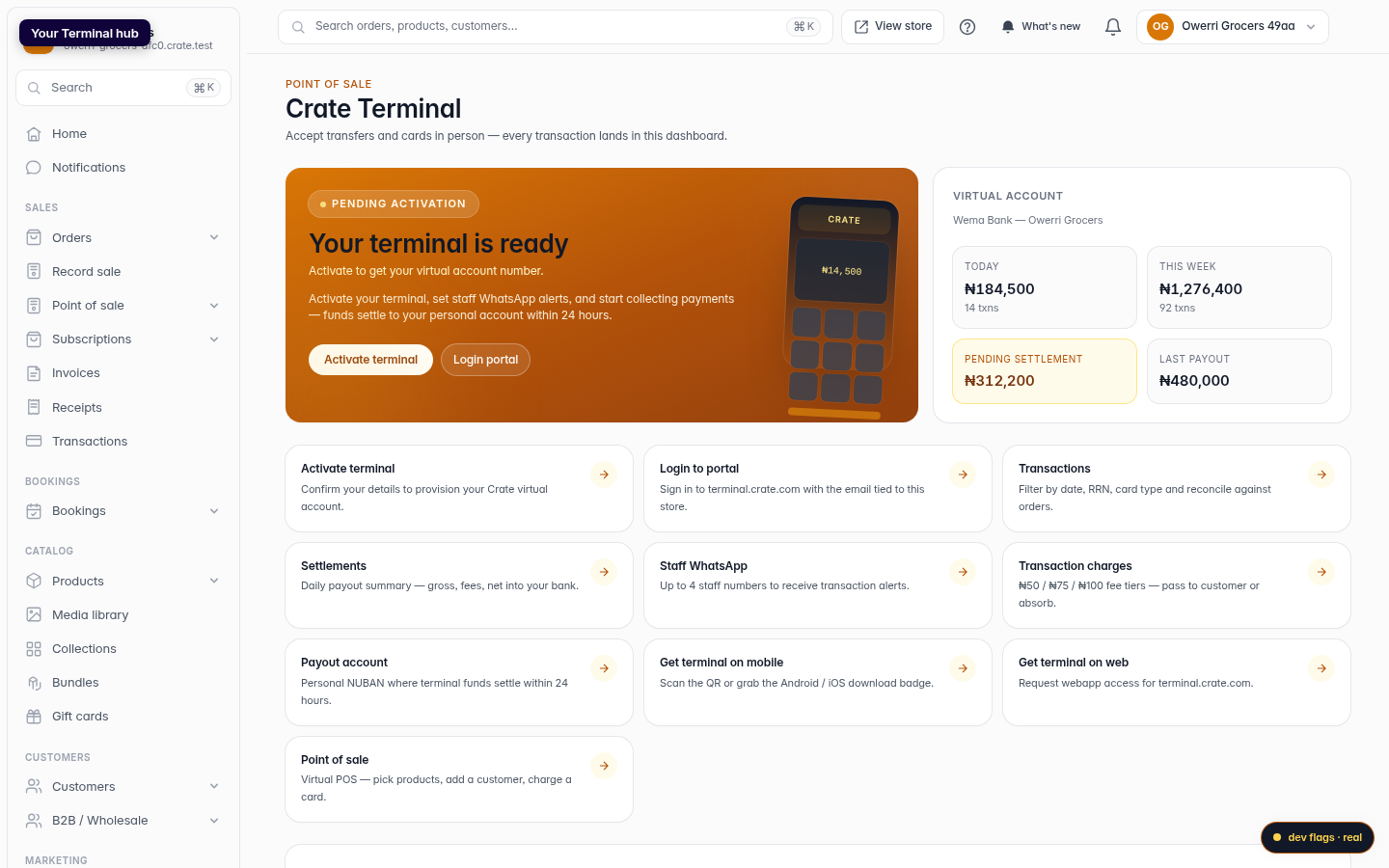
Open your Terminal hub
From your Crate dashboard, open Terminal. The hub shows your virtual account at a glance, with activation status and live volume.
Web 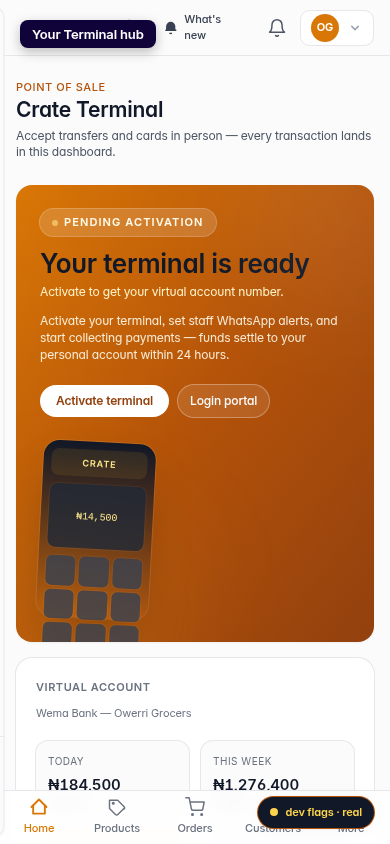
Mobile -
2
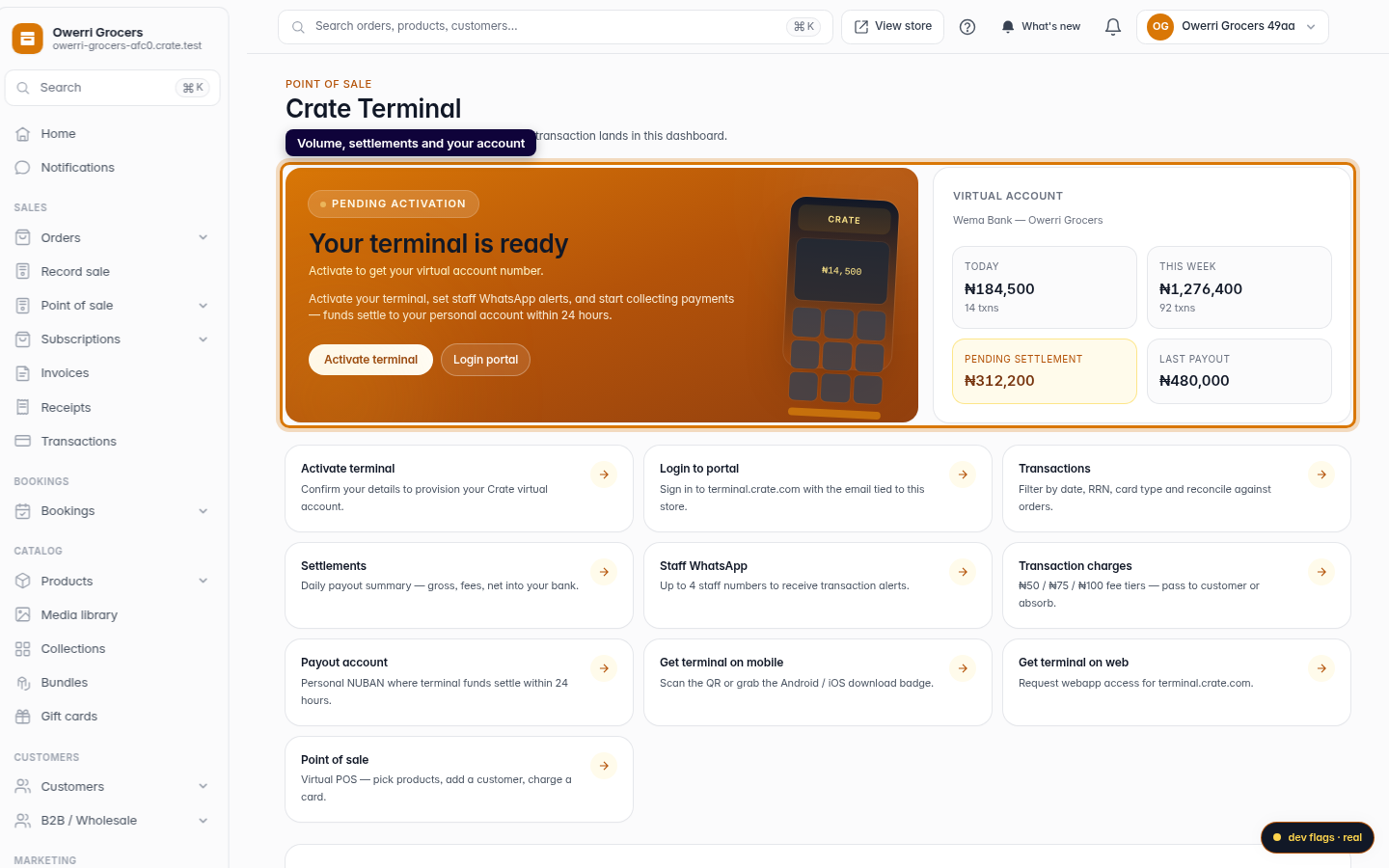
Read your account and stats
Your virtual account number, today's and this week's volume, pending settlement, and your last payout all sit on one screen, so you always know where your money is.
Web -
3
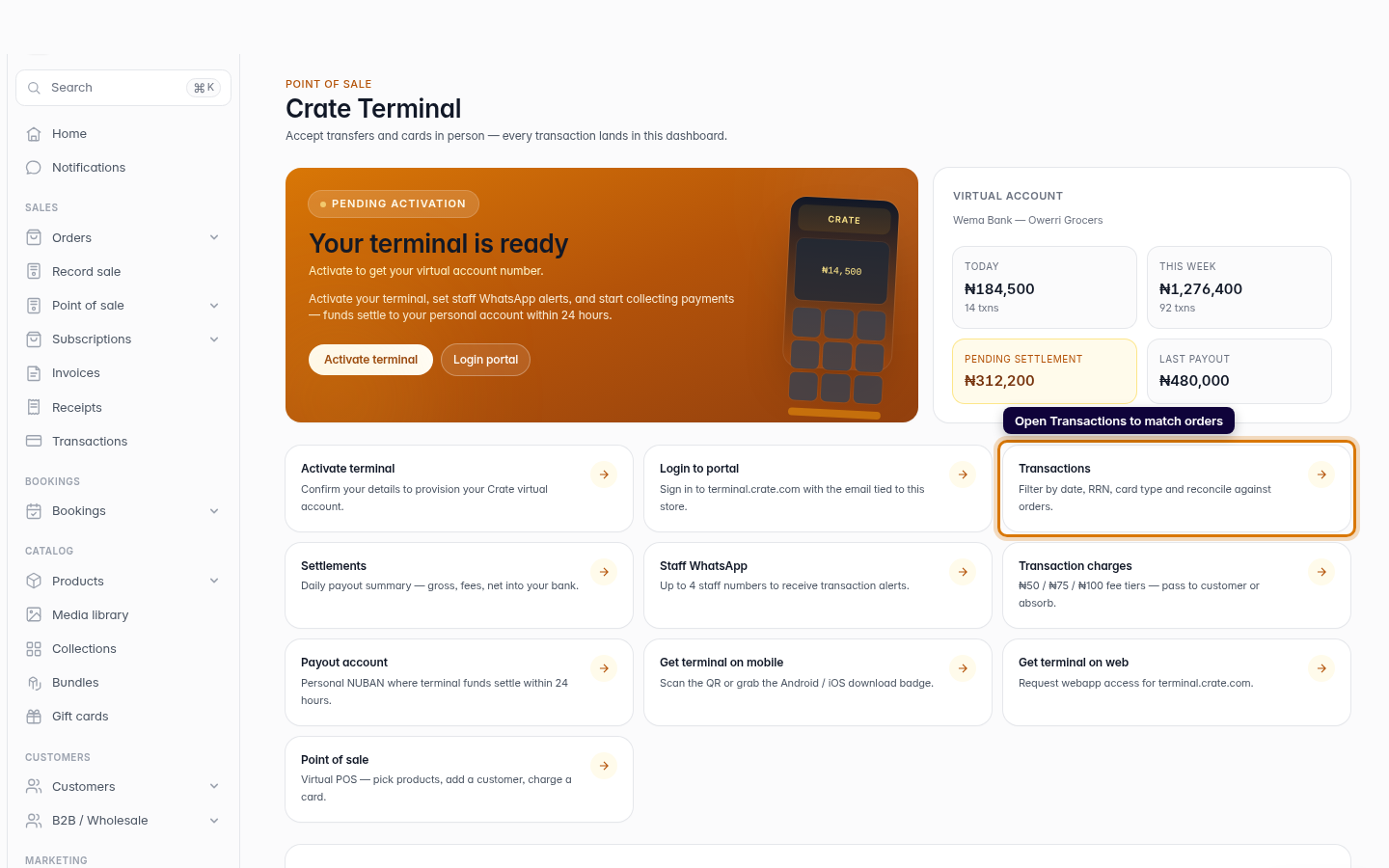
Open Transactions to reconcile
Click Transactions. Every transfer to your terminal is recorded here, ready to be matched to the order it paid for.
Web -
4
Match a transfer to an order
Open a transaction and match it to a pending order. This keeps the order's payment status in sync with the money you actually received, no manual bookkeeping.
Web