Connect Shipbubble for live shipping rates
Plug your Shipbubble API key into Crate to show live courier quotes (GIG, DHL, UPS, Speedaf, Topship) to shoppers at checkout, in three short steps.
Shipbubble aggregates Nigeria's couriers (GIG, DHL, UPS, Speedaf, Topship and more) behind one connection. Plug it into Crate and your shoppers see live, accurate delivery rates at checkout instead of a flat guess, which cuts cart abandonment and stops you under-charging on shipping.
Before you start
You'll need a free Shipbubble account. If you don't have one yet, create it at shipbubble.com first, then come back; the connection takes under a minute once you have your API key.
Your API key is the credential that lets Crate request quotes on your behalf. Treat it like a password: Crate stores it encrypted and never displays it again after you save.
After you connect
Once connected, Crate requests rates from Shipbubble every time a shopper reaches checkout, so they pick a real courier and price. Test it by starting a checkout to a Lagos address, if live quotes appear, you're done. To rotate the key later, reopen the wizard and use Change key.
-
1
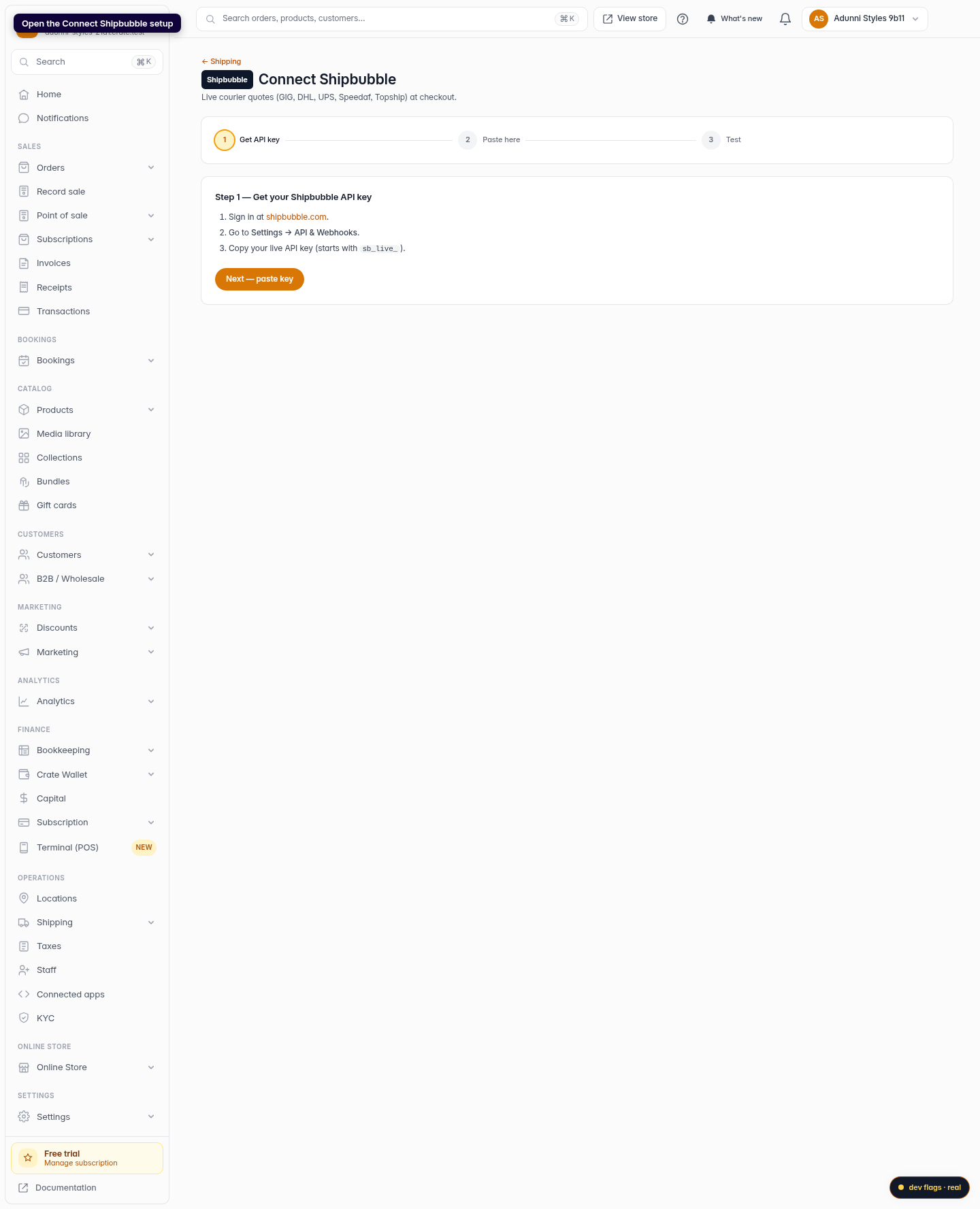
Open the Shipbubble setup
From your Crate dashboard, open the Connect Shipbubble wizard under Shipping. The three-step tracker at the top shows exactly where you are.
Web 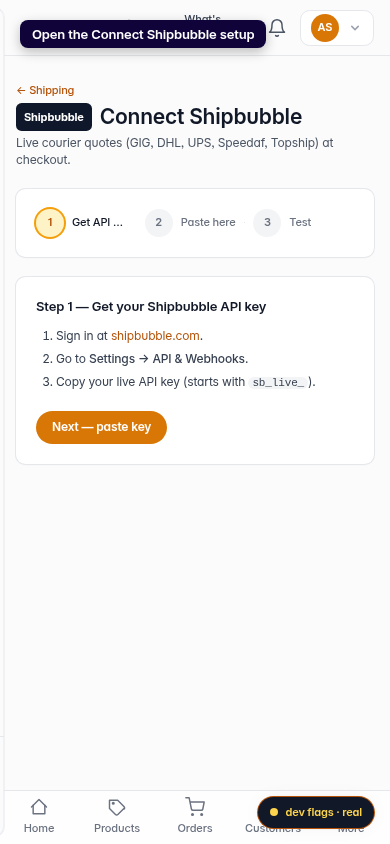
Mobile -
2
Get your API key from Shipbubble
Sign in at shipbubble.com, go to Settings → API & Webhooks, and copy your live API key (it starts with
sb_live_). Then click Next; paste key.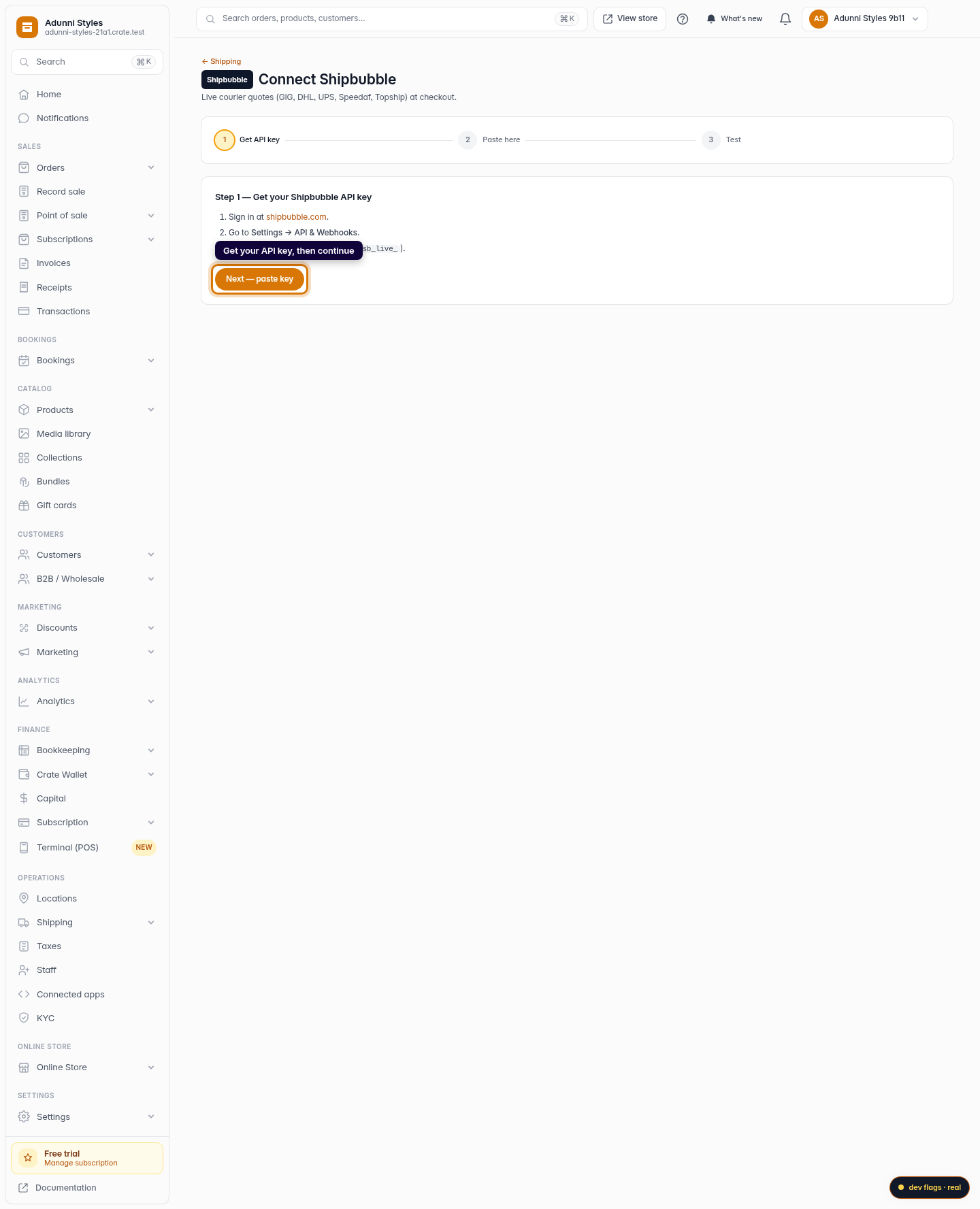
Web -
3
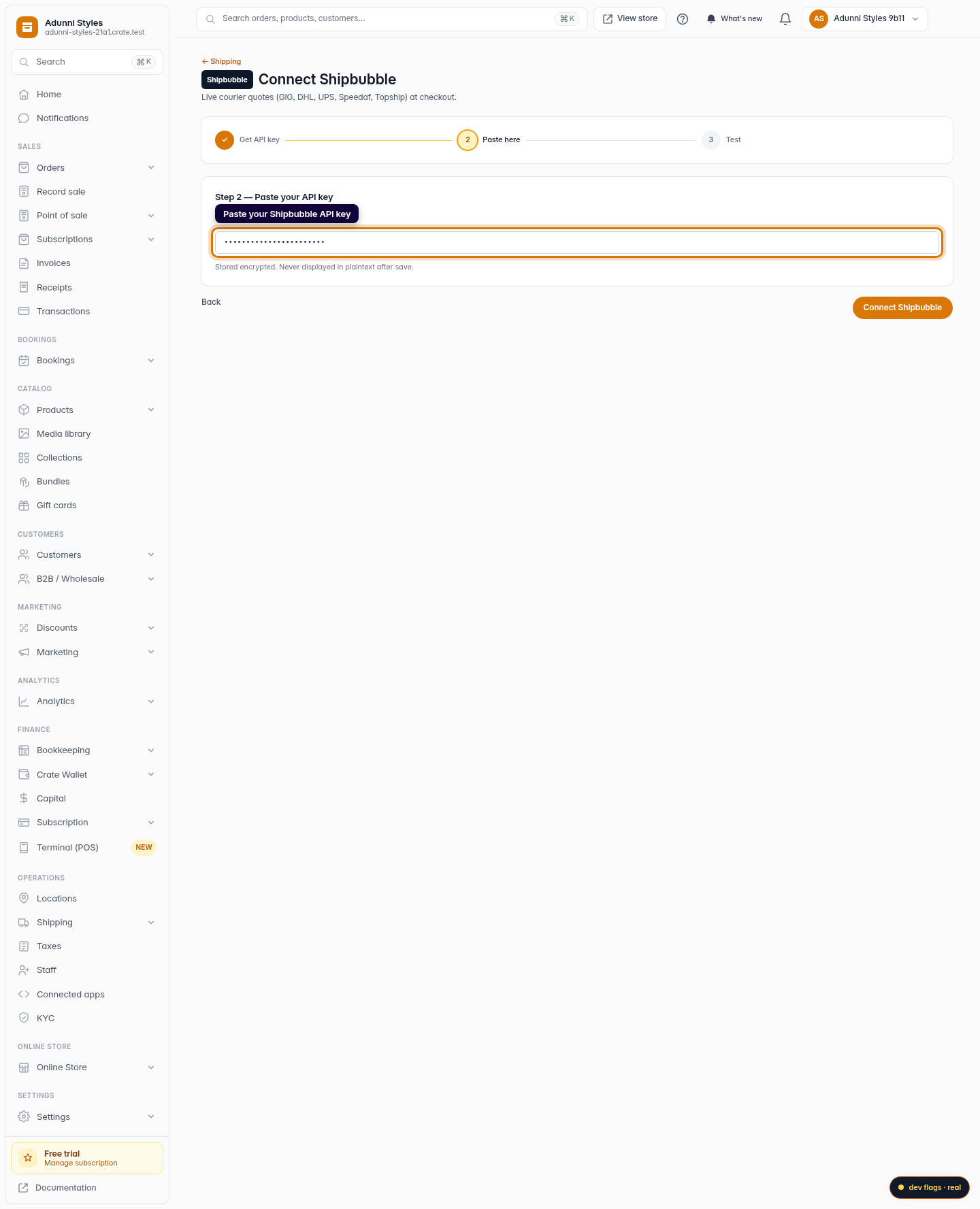
Paste your key into Crate
Paste the key into the Shipbubble API key field. Crate stores it encrypted and never shows it in plaintext again, so keep a copy at Shipbubble if you need it later.
Web 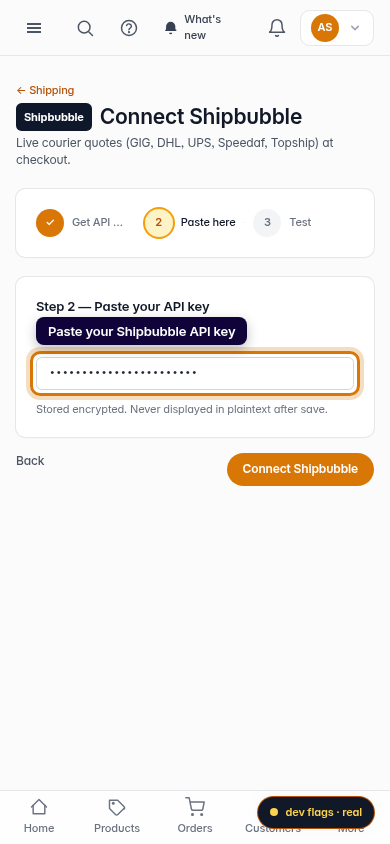
Mobile -
4
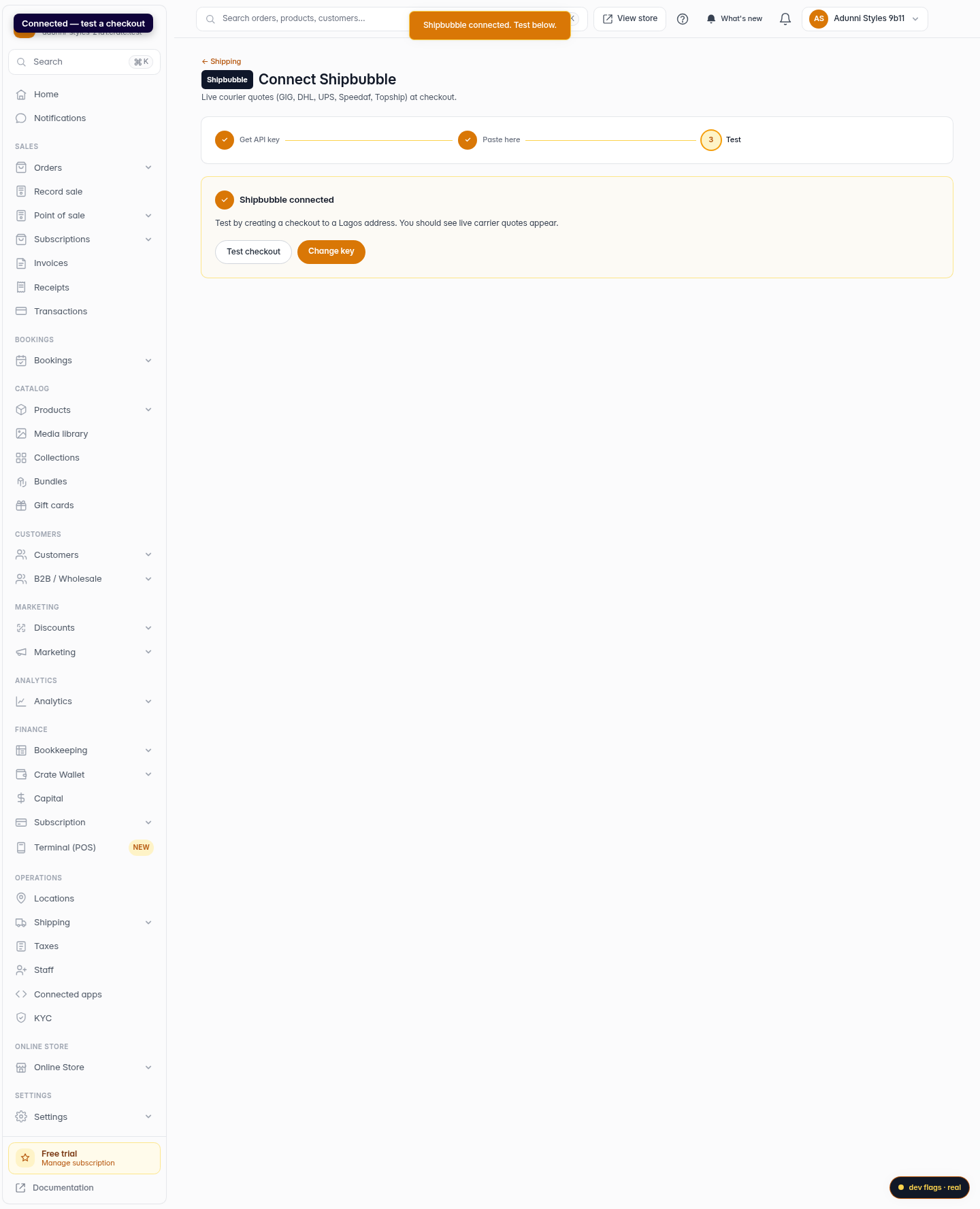
Connect and test
Click Connect Shipbubble. Crate confirms the connection and drops you on the test step. Run a checkout to a Lagos address and you'll see live carrier quotes appear.
Web 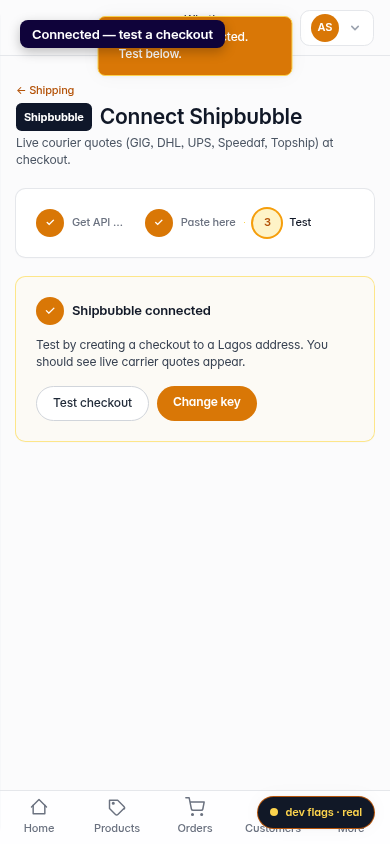
Mobile